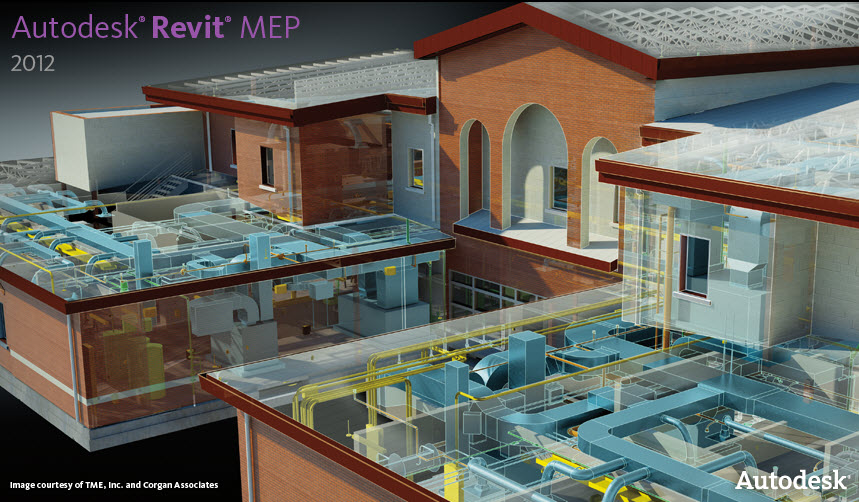

Revit MEP

Revit MEP
Showing posts with label 3rd Party Programs. Show all posts

Friday, June 24, 2011

ElumTools - The first fully-integrated Add-in lighting software for Autodesk Revit


ElumTools is from Lighting Analysts, Inc. who produces calculation tools for the architectural lighting marketplace. Today, they author four design tools for the lighting industry: AGi32, Photometric Toolbox, FlashTools, and the newest addition, ElumTools, a fully integrated lighting calculation add-in for Autodesk Revit.

This new tool will be a much more efficeint way of doing point-by-point lighting calculations rather than importing 2D plans into AGI, creating 3D spaces and 3D objects that are representing the rooms in AGI, (which has already been done by the architect in Revit), so why redo that work?  Then as the model updates and changes, you have to redo all that work of reimporting the 2D autocad file, and recreate the 3D spaces and 3D objects.  That takes a lot of time.  Using a software that is an add-on of Revit, you can do the calculations right within Revit, and not have to continuously update separate models.  (Construction document Revit model, and the AGI lighting calculation model.)  Then when you make changes to your light fixtures, you make those changes in the Revit model only, (one place) instead of making the changes in the Revit model and in the AGI model. 

SNIP FROM THEIR WEBSITE:
The growth of BIM (Building Information Modeling) software is exploding, and in many architectural design and engineering firms it is almost completely replacing CAD software for the purposes of architectural and building system design. To date, the industry standard illumination design software programs lack the ability to easily exchange information with models in the BIM environment. The reason for this is two-fold: current illumination software utilizes a complete environment approach to the calculation of illuminance, which is burdened by the large size of the BIM model, and the complexity of exported geometry from BIM is beyond the needs of practical calculation of workplane or surface illuminance. With today’s illumination design software not getting the job done, there remains a need to quickly compute basic illuminance from electric sources within individual environments in a BIM model and tabulate the results in a way consistent with the behavior of the BIM software.

What is ElumTools?
ElumTools is a calculation Add-in used to predict the performance of electric lighting systems within the Autodesk® Revit® Architecture or MEP software. With ElumTools the need to utilize external software to compute illuminance from light sources placed in Revit is no longer necessary.
When ElumTools is installed in Revit, it appears with its own tab on the top menu bar. Selecting the ElumTools tab reveals the icons for the various ElumTools commands.
How does ElumTools work?
The entire concept of ElumTools as a Revit Add-in is based around the ability to leverage content that is already present in the Revit model. Utilizing existing content from Revit allows the lighting software functionality to be simplified to only those tasks necessary for the accurate modeling of light.
The accurate calculation of illuminance on a workplane or surface requires the following components: surface geometry, surface reflectance/color, luminaire locations and luminaire photometry. ElumTools is able to extract surface geometry in the form of “Rooms” or “Spaces” as defined in Revit Architecture or MEP, or if necessary, the user can simply select the surfaces to be included in the calculation using Revit commands. Surface reflectance and color can be interpreted from the Revit “Graphics Shading” properties of the surface and “mapped” to more suitable reflectances and/or colors if desired. Luminaire locations already present in Revit can be consumed by
ElumTools and photometric file associations created if not already present.
With these elements known, ElumTools has the information required to utilize a radiosity process to compute the lighting for the selected geometry and present an interactive visualization depicting the luminous exitance of all surfaces. However, there is an additional fundamental need to allow the user to assign calculation sampling points to any surface or workplane to verify illuminance present from the Revit layout of luminaires. This is easily accomplished using ElumTools’ Calculation Points command.
With materials mapped, luminaires defined and sampling points placed, ElumTools calculation commands enable the computation of the selected geometry. Revit-defined Rooms or Spaces can be computed alone or as a group if they contribute light to one another. The computed results can then be examined in an interactive visualization window (a separate window for each Room or Space) and point-by-point results seen directly in the Revit model. Finally, all statistics are available to Revit’s scheduling tools for summary and inclusion in the BIM model.
Anatomy of a typical workflow
Manage luminaires – This is the process of assigning all of the necessary elements to each luminaire family within the Revit model that will be used for lighting calculations. Required input includes: a valid photometric file in IES format (LM-63), assignment of a light loss factor and a validity check on lumens and watts figures as retrieved from the manufacturer’s photometric file.
The ElumTools Luminaire Manager provides simple access to the necessary inputs for all luminaire families. The luminaire list can be shortened to show only luminaire families currently in use in the Revit model, if desired.
Map materialsElumTools has access to the “Graphics Color” in Revit for all materials in the model, allowing the reflectance of the surfaces to be calculated from the RGB color.* If a Revit graphics color is not an accurate color from which to calculate reflectance, it is necessary to map that surface to a different and more appropriate color. Glass and other translucent or transparent materials must also be mapped to the appropriate surface type in ElumTools for accurate lighting calculations.
The Materials Mapping feature in ElumTools is very easy to use. All Revit materials are listed on the left side of the dialog and ElumTools materials on the right. The drop-down selection in the center allows individual materials to be mapped from Revit to ElumTools and vice-versa, or ignored entirely. Additional pull-down menus allow the selection of color, reflectance, surface transparency and more (Advanced Properties button).

*As of the release of Revit 2012, the Revit Application Programmers Interface (API) provided by Autodesk does not provide access to the materials’ “Render Appearance” information. This may change in a future release providing more accurate material color and reducing the need to map some materials.
Locate point-by-point areasElumTools makes it easy to assign a grid of sampling points to your choice of surfaces and workplanes in the Revit environment. Simply select the Calculation Points command and drop an instance of the sampling points family on surfaces as required. The points will automatically attach only to the selected Revit surface. Other surfaces such as windows or doors would not be included and could be covered with another instance of the family, if necessary. Workplane calculations are simply points on the floor with an offset equal to the workplane height.
Calculate Room or Space – Rooms and Spaces are spatial placeholders created by Revit Architecture and MEP. If the Revit model does not have Room or Space designations, it is only a matter of a few clicks to add them.
ElumTools allows the calculation of either Rooms or Spaces using a single or multiple selection technique. When selecting multiple Rooms or Spaces, ElumTools allows multiple calculations to be performed simultaneously on multi-threaded processors. If separate environments may exchange light with one another, they can be computed in a single execution.
Calculate Other Geometry – Occasionally it is necessary to select all the elements to be included in a calculation independently of Revit Rooms or Spaces. ElumTools provides the capability to select all elements to be considered manually using Revit commands and compute the propagation of light within this subset.
Interactive visualizationElumTools provides a fully interactive visualization in a pop-up window as a by-product of every calculation. This rendering is designed to allow validation of lighting results (are all my luminaires included?) and a verification of the behavior of light and surface (scalloping from downlights on an adjacent wall). The visualizations are fully navigable, and additional evaluation tools are available, such as scaled pseudocolor analysis, radiosity mesh display and visibility of sampling points.
View point-by-point results in Revit – The illuminance values at all sampling points placed in the Revit model can be seen directly in Revit. The appearance of the value color can be changed using Revit’s Analysis Visualization Framework (AVF) to scale the gradient of illuminance values for improved readability.
Schedule – All illuminance statistics computed by ElumTools are available to be summarized with Revit’s schedule feature.
Exceedingly simple & efficient
The concept of computing the lighting results directly within the Revit environment using a Space by Space (or Room by Room) methodology fosters a fast and efficient workflow, removing the long calculation times associated with the whole-environment approach of external software. Designers can utilize the software as a design tool on an iterative basis as needed. Point-by-point results provide validation of required lighting criteria, and interactive draft visualizations yield an understanding of the lighting system only possible with radiosity rendering.

Unlike many of today’s all-encompassing lighting simulation programs, the ElumTools software is exceptionally intuitive, streamlined and approachable. By design, the software can be productive for any Revit user with basic lighting knowledge, and very little if any training is required.

ElumTools Licensing
For the initial release ElumTools is available in a single user license configuration only. A single user license can be installed on one computer at a time. Once registered, ElumTools is licensed to that computer only. This is a perpetual license for use with Revit 2012 only.

Subscription Plan
ElumTools is sold initially with a free one-year membership to the subscription plan. This means all product releases are available for download from your account at no charge until one year from your purchase date. At that point you may elect to renew the subscription plan to continue to receive product releases.

Wednesday, March 23, 2011

3Dconnexion Announces Revit 2012 Support

3Dconnexion today announced much anticipated 3D mouse support for Autodesk Revit 2012 software applications, as well as Autodesk Navisworks 2012, bringing the full range of 3D mouse design benefits to Revit and Navisworks users.
3Dconnexion 3D mice complement the intuitive interface and modeling and documentation tools in Revit software, helping to enhance every design workflow stage with increased productivity and comfort. 3D mice allow Revit and Navisworks users to pan, zoom and rotate simultaneously to deliver superior navigation and more intuitive control, helping to boost productivity and efficiency while aiding user comfort.

I have not personally used a 3D mouse, but I would imagine it would take some getting used to.  Steve Stafford has mentioned this device in his blog and is currently testing it.  But the reviews sound good.  I can imagine a device like this would be benificial in software programs like Navisworks even more than Revit.


Tuesday, July 07, 2009

AutoCAD Revit MEP 2010 API to Estimating and CAM

AutoCAD Revit MEP 2010 API - Design BIM to Manufacturing BIM. Autodesks new 2010 API opens the door for Estimating and Manufacturing directly to CAM-Duct and other TSI integrated solutions. Working with Autodesk development team we have bridged the gap between Design BIM and Manufacturing BIM by providing a direct path from design files created with AutoCAD Revit MEP 2010 HVAC, Pipe, and Plumbing to truly integrated database solutions CAM-Duct, CAD-Duct, EST-Duct, CAD-Mech, EST-Mech using new FAB-Duct and FAB-Mech software provide by Technical Sales International (TSI) 866-493-6337.


Thanks Erik Lewis for pointing this out. This will be very interesting.
http://whosafraidofthebigbadbim.blogspot.com/2009/07/revit-mep-to-fabrication.html

Monday, January 12, 2009

Autodesk Ecotect Analysis Program

Autodesk Ecotect can measure how fundamental criteria, such as solar, thermal, shading, lighting, and airflow, will affect building performance in the conceptual and detailed phases of design. This capability to forecast building performance over time better equips architects and engineers to deliver more energy efficient and sustainable building designs.

Autodesk Ecotect is a separate program and is not integrated into AutoCAD or Revit. It does the calculations using the gbxml analysis data that is exported from the BIM model. So you need to setup your model with rooms if you're using Revit Architecture, and with spaces if you're using Revit MEP.


Below is a white paper on how to prepare your BIM model for the export to the gbxml file.

Building Performance Analysis Using Revit Whitepaper

Sunday, November 30, 2008

WAN Access at LAN Speeds for Revit Worksharing

Whether you share Revit files across town or across the world, waiting has become a part of your day. Slow file access means lower productivity. Redundant files lead to accidental save-overs and lost work. Between the coffee breaks and costly re-work, the hidden costs are unimaginable...and we haven't even begun to talk about security or back-up.

Overcoming the challenges of multi-site collaboration
GlobalSCAPE WAFS allows users from all locations to access and share files over a WAN at LAN speeds. File replication ensures the same files exist at all locations while real-time file locking keeps users from overwriting files in use. As files are modified, changes are mirrored instantly using revolutionary byte-level differencing.
  • Instant access to remote files with minimal bandwidth consumption
  • File coherence with real-time file locking, file release, and synchronization
  • Continuous back-up at the central server
  • Instant access to newly created files anywhere on the WAN
  • Offline availability with automatic sync upon re-connection
  • Secure encryption keeps your sensitive data safe
  • Completely transparent to end-users, no training required
  • Easy installation, browser-based management, and firewall friendly(tunnel through HTTP/S)

Get started todayGlobalSCAPE WAFS can be set up and operational in a matter of hours. They want you to try it free for 30-days to see how well it can work for you. If you have any questions at all, please call them at 1-800-474-0116 (U.S.) or 978 474-9116 (international).

Vico Software to Integrate with Revit

Vico Software announced that its 5D Virtual ConstructionTM solutions and services will be integrated with Autodesk's leading technology and solutions for the AEC industry. With the adoption of BIM accelerating, it is advantageous for General Contractors and Owners to have the combination of Vico's integrated 5D capabilities within the Autodesk solutions environment.

According to Clay Freeman, chief product officer at Vico, the initial focus of the partnership has been integrating Vico's Virtual Construction Suite with Autodesk Revit for Building Information Modeling. "We have a growing number of customers requesting that our virtual construction solutions work in conjunction with an Autodesk Revit model," says Freeman. "Today we are happy to announce that the integrated solution with Revit is demonstrable, and our intent is to support a wider range of capability offered by multiple Autodesk products in the future."

Together the solutions from Vico and Autodesk will enable building owners, general contractors, and construction managers to produce:
  • Constructability and Coordination
  • Model-derived quantities and location-based quantities
  • Optimized project schedules
  • Model-derived cost estimates

Vico has not announced a date for general availability. Freeman adds, "Integrating our virtual construction solutions with Revit is a very high priority, and we will be going to customer beta test soon. Importantly, our internal Virtual Construction Services team is already contracting work on projects using Revit models in conjunction with our software, so we are quite confident in the quality of the integrated solution."

Vico will publicly debut the integration of its Virtual Construction solutions and Autodesk Revit at the Autodesk University Conference next month. To see the Revit-based Virtual Construction in action, visit Vico at Booth 397 at Autodesk University, December 2-4, in Las Vegas.

Vico Software's award-winning Virtual Construction™ software and services help building owners and general contractors reduce risk, manage cost and shorten project schedules.
Vico Software’s 5D technology provides unprecedented integration of design, construction and management processes, thus improving project predictability - providing early identification of constructability problems; and synchronizing design, cost and schedule. With over three hundred customers and more than two hundred projects completed, Vico Software has a proven track record of delivering results.

Monday, June 25, 2007

e-SPECS integration for Revit MEP

e-SPECS building information modeling (BIM) enhanced integration for all Autodesk Revit-based 2008 BIM products including:
  • Revit Architecture
  • Revit MEP
  • Revit Structure

InterSpec, the leader in specification solutions integrating CAD drawings and BIM models, further enhances the e-SPECS specification solutions using the Revit application programming interface (API).

New e-SPECS functionality includes:

  • Direct API BIM Model Export
    o Replacing the ODBC Export is a faster and more efficient export of all model data pertinent to the products and materials for specifications.
  • View the Specs from within the BIM model
    o Select a family and view all the associated specification sections directly associated with that family. Select the interior wall family for instance and view the associated gypsum board, metal stud and painting sections.
  • Markup the Specs from within the BIM model
    o Revit users can not only view the sections, but add comments, questions and markup the specifications directly in the Revit session. The specifier using e-SPECS will immediately see those mark-ups and can make the required changes to the specification section(s).
  • New Spec Integration Report
    o Also within Revit, users can view a report detailing all families and the associated specification sections as well as those not yet assigned an assembly. The usage of this report within the BIM model facilitates the integration, automation and coordination of the construction documents.

“Customer are increasing the value of their BIM investment through more efficient and coordinated design processes, entire design team collaboration and efficient enterprise level data management,” says Michael Brennan, President of InterSpec. “Architects, engineers, owners, and contractors benefit from the ease of access to critical data associated with the BIM model.”

e-SPECS automates the preparation of the project specifications from Revit MEP, linking your favorite design program with your specification master documents. e-SPECS is integrated with all versions of MASTERSPEC, the industry standard for construction specification documents.

Integrated Specifications
e-SPECS integrates the construction documents with AutoCAD, Architectural Desktop and Revit, instantly updating your project specifications as you develop your drawings. Insert a VAV Box, light fixture, sink, or any other building object into your Revit MEP model and instantly update your project manual with the appropriate specifications. Enter text, keynotes, blocks, hatches, or any other Revit drawing elements, and your specifications stay in-sync, in real time. Any changes you make to the designs will automatically be incorporated into the specification manual. At any time, you can review the “history” of your specification section to see why it was included in the project. You can also review the Drawing Reconciliation reports to get a complete overview of all the drawing elements that resulted in project specification sections.

e-SPECS Integrating Specs with AutoCAD®, ADT and Revit e-SPECS extracts all the project requirements from the Revit model and instantly updates your specifications as you develop your building designs. e-SPECS generates the required specifications and lets you load the sections into its editor for any changes you may require. e-SPECS operates inside Revit MEP, instantly updating your specifications as you develop your drawings.

Product Research
Developing the specifications for the products and materials that are incorporated into your building designs is only part of the complete specifications package. You also have to identify available products that meet those specifications. With its built-in browser, e-SPECS automates the selection of available products that meet your specifications by linking to supplier information on the Internet directly from your specification document. With the click of the mouse, you go directly to a list of manufacturers supplying products applicable to the section you are editing. You’ll save hours researching products to include in your specifications and when you find the appropriate suppliers, information from their web sites can be cut and pasted into your specifications with a few simple mouse clicks.

Project Collaboration
e-SPECS brings your entire project team together, enabling collaboration on your specification documents from any place in the world. Team members can access the project using the e-SPECS Desktop markup tools or through an Autodesk Buzzsaw® online account. With e-SPECS, you can publish your entire project to Buzzsaw with the click of a mouse. e-SPECS version control keeps track of all user edits and makes it simple to incorporate comments and changes from multiple sources. You’ll save time and money and ensure that all team comments and considerations are included in the final manual.

See the demo
http://www.e-specs.com/especsdemo/e-SPECS_DEMO.html

The enhanced integration is available today for e-SPECS customers and demonstrations can be viewed on-line at http://www.e-specs.com/.

Monday, June 18, 2007

BIM Library Manager from Tectonic Partners Inc.

The BIM Library Manager is a sophisticated software application for the organization, management, naming and selection of the Revit families (2D and 3D objects such as doors, windows, cabinets, plumbing, lighting, etc.) that are necessary for the creation of Revit building models. The BIM Library Manager also includes hundreds of excellent parametric families to assist architects in the efficient creation of their BIM (Building Information Models) projects. The BIM Library Manager is licensed on a per-seat, yearly subscription basis.

The use of Revit for the creation of BIM is rapidly expanding within the architectural professions. To create 3D building models and contract documents using Revit the architect must access a collection of families that can be selected and inserted into the BIM model. Therefore thousands of families are required that may be selected from on each project.

These families have proven to be a challenge for those using Revit. As the quantity of the doors, windows, equipment, fixtures, etc. have grown the inventorying, selecting and moving of these families into the Revit model has become overwhelming. All offices and particularly firms with multiple offices are finding that their families are stored “all over the place”. Inconsistent naming conventions are also adding to the problem as often the same family is called different names within the same office. Adding to the challenge there are currently not enough well modeled families available.

Andrew Arnold, Ph.D.,VP Products states, “The BIM Library Manager was designed to solve the problems of working with Revit families. Our application resides at the architect’s office on individual computers or on their network and is designed to collect, organize and present through a simple interface their families. Tectonic has also included Naming Guidelines to assist the architect in developing a good and consistent naming system. Consistent and logical naming is extremely important as the BIM model is used for quantity take off and analysis. Additionally, the BIM Library Manager includes hundreds of well modeled parametric families that will instantly improve the architect’s efficiency in using Revit. Tectonic will continue to develop well modeled families and make them available to our customers through a link at our Internet site.”

The BIM Library Manager is designed as a platform to allow the plug in of future Tectonic products, such as the Tectonic Quantity Take Off application that will be released mid year. The system architecture weaves together tools based upon the Open Services Gateway initiative (OSGi), Eclipse development platform, and Microsoft .NET technology. The application is made available for download from the Amazon Elastic Compute Cloud.

Thursday, May 31, 2007

Autodesk Extends 3D Leadership with Acquisition of NavisWorks

Autodesk has signed an agreement to acquire NavisWorks, a privately-held company based in Sheffield, England that provides software for 3D coordination, collaboration and sequencing in design and construction for approximately $25 million in USD cash, subject to a working capital adjustment. The acquisition underscores Autodesk’s commitment to help its customers derive the greatest possible value from the information created during all phases of the design process.
NavisWorks is a global provider of software that enables full exploitation of the benefits of 3D digital designs in the construction, plant and marine design markets for purposes ranging from design coordination and clash detection to construction simulations. Its products are used by many of the world’s leading construction companies, architects, engineers, process and power firms and shipbuilders. NavisWorks products support increased interoperability by coordinating design information from multiple sources. The company is also a Charter Member of the USA National BIM standard.

Autodesk currently plans to offer new solutions that incorporate both NavisWorks and Autodesk technology, and to continue supporting the existing NavisWorks product line “The acquisition of NavisWorks is part of Autodesk’s commitment to offering more complete solutionsacross the AEC industry” said Jay Bhatt, senior vice president, Autodesk AEC Solutions. “The addition of NavisWorks technology to the Autodesk portfolio will help our customers leverage their design data to make better design and construction decisions and increase the value of their investments in design technology.”

“For more than 7 years, NavisWorks solutions have helped design professionals across the construction, building, plant, and marine industries better collaborate, create more coordinated designs, and work more efficiently,” said Peter Thompson, CEO of NavisWorks. “The combination of NavisWorks and Autodesk technology is an excellent match. Our products augment the coordinated, consistent, and computable information produced by the Revit platform for building information modeling, and can aggregate that information with data from other sources including AutoCAD, Inventor and Civil 3D, to build the most complete understanding possible of the overall project. We are excited to join the Autodesk family.”

Friday, May 25, 2007

Carmael Software Package automates entire design process

DESIGN-BUILD 6.0 by Carmel Software, www.carmelsoft.com, is a suite of five software programs that automate the entire HVAC design-build process. The solution, which is based upon the latest ASHRAE Fundamentals, performs HVAC design-build analysis including commercial and residential load calculations, duct sizing, cost estimating and proposal generation. The programs come with pre-formatted customizable databases and accept user-supplied equipment, material and parts.

The user creates an HVAC load calculation project for the building in Loadsoft-6.0, which performs calculations for commercial and industrial loads, or Residential 5.0, which does the math for residential and light commercial loads. Loadsoft calculations use the 2005 Fundamentals radiant time series method; Residential 5.0 calculations are based upon the ASHRAE 2001 Fundamentals residential algorithms (Chapter 28). These modules include databases for 200+ walls, roofs, floors and windows.

Both load calculation modules are compatible with AutoCAD MEP and Revit MEP for easy data import of building information from the AutoCAD MEP or Revit MEP drawing, including room dimensions and number of people. Importing that information eliminates the need for manual input of that data for each room and system. Afterward, the user can export the results back to AutoCAD MEP or to Revit MEP drawing to aid in duct and piping design.

After the building is modeled and the total cooling and heating loads calculated, the project designer/estimator imports the weather, address, airflow values and other data for each room into the next module in the process, Duct Size 6.0, which provides total duct system analysis to facilitate proper sizing of the ducts and fans that serve the system. (Duct Size 6.0 also works with AutoCAD, enabling the designer to import a single-line drawing and export it back as a double-line or 3-D drawing.)

The duct-sizing program can generate numerous reports, including duct dimension and airflow breakdown, a heat-loss breakdown, friction-loss breakdown, sound-power breakdown and a material list that can be imported into Estimate 6.0.

Using all the information from the load calculation and duct-sizing modules, the estimating module creates an estimate of final total costs based on the mechanical take-off and can generate a proposal exportable to Microsoft Word or Excel for presentation to the customer.

The estimating database includes many types of HVAC equipment, including 50,000+ HVAC parts from major vendors, as well as labor costs assignable to the equipment and material. A Status Module keeps time-stamped track of the status of each project and tells the user which data is being shared and where.

Each of the software programs can be purchased and used separately.

Monday, May 14, 2007

Revit MEP Building Performance Analysis White Paper

A new white paper concerning some critical concepts and procedures for generating a valid building performance analysis (BPE) in Revit MEP 2008 has been posted to the Autodesk web site. You can download it here:

BPE Analysis White Paper

I strongly recommend that if you are an MEP engineer considering or using Revit MEP or if you are an architect who works with one who is, that you download and read it - it's a quick read, but full of good information!

Tuesday, January 30, 2007

Autodesk Partners With Integrated Environmental Solutions to Enable Building Performance Analysis on Revit Platform

Autodesk, Inc. announced that it is partnering with Integrated Environmental Solutions Ltd. (IES) to further enhance the Revit software platform for building information modeling (BIM) to support sustainable design. At the 2007 AHR Expo, Autodesk will demonstrate a prototype of how the IES building performance analysis tools might be used in combination with Autodesk Revit Systems to generate accurate building performance analysis data. Such data can improve the decision-making process and empower architects and engineers to design better-performing sustainable buildings.

"The design of more sustainable and energy efficient buildings is key to mitigating the impact of climate change and to decreasing building operation costs. A critical part of Autodesk's further development of building information modeling is to expand the ability for our customers to conduct multiple types of analyses on their building information model," said Jay Bhatt, vice president, Autodesk Building Solutions. "Building performance analysis will help architects and engineers design more sustainable buildings and we're excited to partner with Integrated Environmental Solutions to bring these capabilities to the Revit platform."

A growing number of architects, designers and engineers are turning to the Autodesk Revit platform for BIM to meet these challenges. Through the combination of the Revit platform with building performance analysis tools that can examine the implications of alternative design strategies, take into account physical, climatic and environmental factors, and analyze energy use, lighting and materials in the Revit building information model, designers can help achieve higher operational efficiency and building performance.

Autodesk and IES are working together to provide robust building performance analysis capabilities to the Revit platform through a workflow between Autodesk Revit Systems, Autodesk's BIM design and documentation software for mechanical/electrical/plumbing (MEP) engineering, and the IES software suite. Through a demonstration at the AHR Expo, Autodesk and IES will display how these two software applications could be used in combination to conduct multiple building performance analyses including thermal analysis, load calculations, daylight assessment with LEED reporting and solar studies. These comprehensive analysis capabilities could help design teams better and more thoroughly understand the complex thermal, light and airflow inter-relationships within their design, allowing them to make more informed design decisions, minimize risk and optimize building performance.

Dr. Don McLean, CEO of IES Ltd. commented, "Through the support of building performance analysis tools such as those in the IES suite, we hope our partnership with Autodesk will help the industry meet the demands for sustainable design and increase the value of building information modeling."

A Comprehensive Portfolio of Software Solutions for the Building Industry

With the right combination of leading-edge technologies, decades of proven industry experience and unparalleled, worldwide services, Autodesk offers the most comprehensive portfolio of products for the building industry. Ranging from the most advanced technology for building information modeling (BIM) to the most widely adopted design and documentation solutions, Autodesk supports information and management needs throughout the building lifecycle. Building solutions products include Autodesk Revit Building, Autodesk Revit Structure, Autodesk Revit Systems, Autodesk Architectural Desktop, Autodesk Building Systems, Autodesk FMDesktop and Autodesk AutoCAD Revit Series.

http://biz.yahoo.com/prnews/070130/sftu006.html?.v=82

Wednesday, November 08, 2006

Estimator programs from U.S. Cost for Revit MEP


Effortlessly Links BIM to Success Estimator
Success Design Exchange leverages the power of both Success Estimator and Autodesk’s Revit 3D Modeling to create highly accurate estimates with the click of the mouse.

Click for larger image

When a project model is ready to be transferred to estimating, Success Design Exchange presents users with a listing of all Revit Items contained in the model. Users can then link or map these generic items to any number of client specific or commercial cost databases. These databases can contain individual cost items or assemblies complete with labor, equipment, and material costs. Once an item has been mapped in Success Design Exchange, that map will remain in place for future projects utilizing the same item. In other words, each additional project you run through design Exchange will require less mapping than the previous project.

Click for larger image

When the mapping is complete, Success Design Exchange pushes the information to Success Estimator where a robust estimate, complete with all quantities and costs, is generated. Users can then modify productivity factors, markups, tax rates, or any adjustments necessary to produce a highly accurate estimate.

Features:

  • Configurable Cost Mappings
    • Flexible application allows CAD objects to be mapped against any combination of commercial or custom cost libraries
  • Accelerated Estimate Creation
    • Instant creation of estimate structure, quantities and cost from CAD model.
  • Instantaneous Transfer of Costs and Quantities
    • Data exchange occurs instantly with a simple, powerful interface.
  • Out-of-the-Box, Seamless Integration
    • Transfer data between model and estimate with minimal setup.
  • Design and Estimate Synchronization
    • Give project teams the power to effortlessly predict changes in real time.
  • Best of Breed Development
    • Developed in conjunction with industry leader, fully integrated with AutoDesk Revit. Allowing estimating and modeling tools to focus on core capabilities.

Powerful, Flexible Cost Estimating
Since 1991 Success Estimator has been used by architects, engineers, construction managers, owners and government agencies worldwide. Its unparalleled combination of off-the-shelf estimating functionality and customization capability make it the ideal solution for any organization with unique estimating requirements. From user-defined parametric cost models to detailed “bottom-up” estimates, Success Estimator’s ability to conform to your companies methods & procedures is simply unmatched.

Click for larger image

Features and Benefits

LOOK-UP TOOL New!
Easily search among thousands of cost items or assemblies using partial text based descriptions in seconds. The user is also given the unit cost information for the item / assembly and can also quantify it prior to adding it to the project.

CITY INDEX TOOL New!
Increase the accuracy of your R.S. Means based projects by instantly applying the Means city index factors based on state, city and zipcode. Adjust labor, equipment and material costs for all line items.

PARAMETRIC COST MODELS
Success Estimator’s powerful modeling capabilities allow companies to use their own specific legacy data and engineering algorithms to develop meaningful, accurate cost models. As more information becomes available, information in the model can be adjusted at a very detailed level, taking the estimate from feasibility to 100% completion.

CENTRALIZED COST DATA
Use R.S. Means, Richardsons and your company’s legacy cost data individually or in combination on any estimate thereby insuring the most accurate and up-to-date information is being used.

ASSEMBLIES
Generate estimates faster than ever before by utilizing one of the many R.S. Means Assemblies libraries or build unique custom assemblies with your company’s legacy cost information.

ESTIMATE ANALYSIS
Compare actuals to estimates, variances across multiple projects or cost trends on commodities by using one of the numerous macros shipped as part of Success Estimator. Use the Success Estimator Visual Basic programming language to write custom macros directly in the base application.

CONNECTIVITY
Seamlessly integrate Success Estimator as part of your overall cost controls program. Shipped as part of the base application, Automation Tool allows integration and interoperability with other enterprise applications such as CAD, Accounting, Project Management, Inventory Management and various SQL databases.

SCHEDULE EXCHANGE
Schedule Exchange provides the enterprise with a flexible data

exchange engine allowing for the seamless synchronization of your Primavera® Schedule and your Success Estimator estimate, not only saving time, but increasing the efficiency of both applications.

SUPERIOR SUPPORT & SERVICES
Every Success Estimator sale is backed by the cost professionals at U.S. COST. For over 20 years our team of estimators, engineers, developers and analyst have provided exceptional professional services supporting our clients throughout the entire estimating process.

PUBLISH ESTIMATES TO SUCCESS ENTERPRISE
Combine Success Estimator & Success Enterprise to form a powerful, global estimating suite. Enable all estimating stake holders to have access to the entire estimating enterprise via any internet-connected computer.